White Noise: Baby Sleep Sounds
- 4.6
- Rating
- 1.00M
- Installs
- Free
- Price

 Analysis by App-foxy
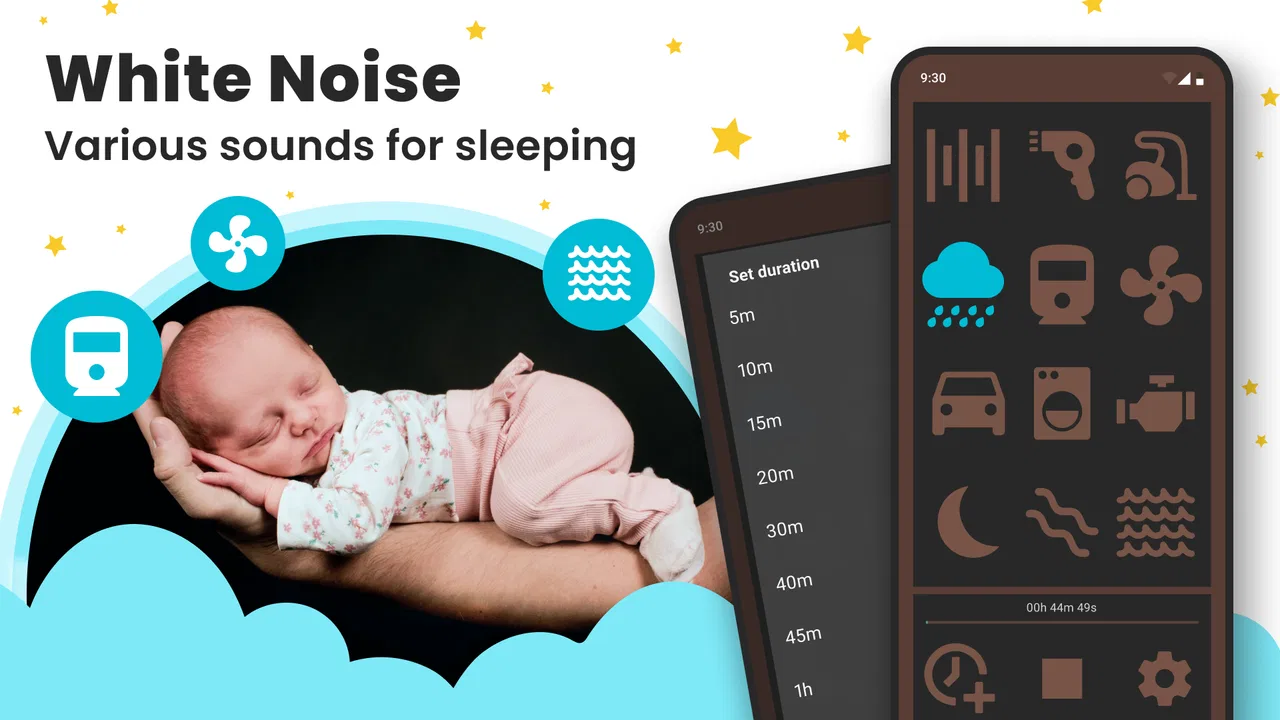
When a baby is struggling to settle, the silence of a bedroom can sometimes feel less helpful than a steady, familiar sound. I tried White Noise: Baby Sleep Sounds from DOSA Apps with that everyday problem in mind, and I found it most useful as a simple sleep aid rather than a complete bedtime system. It is a free parenting app for Android, rated for Everyone, built around continuous background audio such as rain and fan noise.
My first impression was that the app understands the appeal of white noise: it does not ask parents to learn a complicated routine before using it. You choose a sound, start playback, and let it run while a child settles. That straightforward approach is also the reason I would recommend it selectively. Families who want a focused sound machine on a phone may appreciate it immediately, while anyone expecting sleep tracking, feeding logs, developmental guidance, or a large collection of parenting tools will probably find the experience too narrow.
How the current version fits into a real bedtime routine
The current release is version 1.8.14, and the app has been available since December 2016. That long presence gives it a familiar, established feel rather than the impression of a newly assembled soundboard. DOSA Apps has kept the central purpose clear: provide an audio backdrop that can make sudden household noises less noticeable and give bedtime a consistent sonic cue.
You May Also Like

 Blood Strike: 2.5 Anniversary
Blood Strike’s Loadouts Turn Every Drop Into a Tactical Gamble
A close look at Blood Strike’s custom loadouts: how fast access to signature weapons reshapes its battle royale rhythm, rewards preparation, and narrows the gap between fights.

 Pandora - Music & Podcasts
Pandora’s Music Is Easy to Start, but Harder to Recover
Pandora’s strength is its low-effort path from a seed to a station. Its weak spot is how much confidence it asks you to place in connection, setup, and quiet recovery.

 8 Ball Pool
 Is Built on Rivalries, Rematches, and Routine
A close look at the rivalries, rematches, shared routines, and unanswered safety questions that turn a quick pool match into a persistent mobile community.

 Samsung Music
’s Quiet Strength Is Playing What You Already Own
Its reach comes less from spectacle than from dependable access to a personal library. That simplicity is both the app’s strongest retention engine and its ceiling.

 AccuWeather: Weather Radar
AccuWeather Review: A Quick, Clear Forecast for Everyday Decisions
For everyday plans, the best forecast is the one you can understand quickly. AccuWeather makes rain timing, radar, and local conditions easy to act on, with a few trade-offs.

 Hill Climb Racing
Why Hill Climb Racing Still Turns Crashes Into One More Run
A tiny car, a bumpy hill and one more upgrade: Hill Climb Racing keeps resurfacing because its simple chaos makes every near-miss feel personal.
More From Our News Desk



I would use it after the basic parts of a routine are already finished. For example, imagine a parent has dimmed the lights, changed the baby, read a short story, and placed the child in the crib. Instead of starting a lullaby that changes from verse to verse, the parent can begin a steady rain or fan-like sound and leave it playing while doing a quiet task nearby. The useful detail here is consistency. A repeating background can be less stimulating than music, especially when the goal is to avoid giving the child something new to follow.
It also works beyond the nursery. A light rain track can help mask conversation in an apartment, while a fan sound may be useful during a daytime nap when traffic, kitchen activity, or a doorbell could otherwise break the quiet. I would not treat it as a guarantee of sleep, but it can make the surroundings feel more predictable.
The app’s store rating is 4.6 from around twenty-five thousand ratings, and it has passed one million installs. Those figures suggest that the basic idea has found a substantial audience, but they should not be mistaken for proof that every sound suits every child. Babies respond differently to volume, pitch, and repetition. In my view, the practical test is whether one or two sounds fit your household and whether the controls let you use them without creating extra work.
What the sound approach gets right
White noise is most helpful when it is treated as environmental support, not as entertainment. A steady sound can cover small changes in the home, but it should remain quiet enough that an adult can speak normally nearby. I would begin at a low level, place the phone away from the crib, and listen from the child’s sleeping position before leaving the room. The phone should never be placed inside the crib or under bedding, both for safety and because a device does not belong within a baby’s reach.
One less obvious advantage is the ability to separate the sleep cue from a parent’s presence. If a baby has learned that a particular parent must remain beside the crib until sleep begins, a repeated sound may eventually become a more portable part of the routine. That transition still takes patience, and the app cannot replace reassurance, but a stable audio cue can be easier to repeat at home, during a nap at a relative’s house, or while travelling.
Another useful workflow is to use the same sound at the same stage of the routine instead of changing tracks every night. Parents often experiment by switching between rain, fan noise, and other options, but constant changes can make it harder to tell what is actually helping. I would choose one gentle option for several evenings, keep the volume modest, and only change it if the child seems more alert or the sound becomes distracting.
There is also a practical distinction between masking noise and creating silence. In a busy home, a sound may make a passing conversation less noticeable, but it will not erase a loud television, construction noise, or a barking dog. That is why I see this app as a small layer in a sleep setup, not as a substitute for a calm room. If the surroundings are already quiet, the child may not need it at all.
What has changed, and what that means for established users
The version number gives existing users a useful reference point: the app is currently on 1.8.14 rather than an early launch build. The important takeaway is not that a particular update introduced a feature I cannot verify, but that the app has continued in a maintained form after years in the parenting category. For someone returning to it, I would expect the core experience to remain recognizable: open the app, select a sound, and use it as a background aid.
That continuity is valuable for families who have already found a sound their child accepts. A bedtime tool can become part of a child’s association with sleep, so unnecessary redesigns or a completely different interaction model would be frustrating. The current version’s identity remains focused instead of expanding into a crowded dashboard of unrelated parenting functions.
At the same time, continuity can feel conservative. An app that has kept a narrow purpose over many years may not satisfy users who want the latest sleep technology, detailed customization, or automation. I would judge the update history by its effect on your routine rather than by the version label alone. If playback starts reliably and the available sound fits your needs, a mature, focused app may be preferable to a more elaborate alternative that demands more setup.
For existing users, the main benefit is familiarity. A parent who already knows which sound works can continue using the same basic habit without rebuilding a sleep plan. For new users, the trade-off is that the app may feel less like a guided product and more like a tool you must learn through careful observation. That is not necessarily a defect, but it means the parent has to make the important decisions about volume, placement, timing, and when to stop using it.
Where it fits beside ordinary alternatives
The most obvious alternative is a dedicated white-noise machine. Hardware has the advantage of being separate from the phone, so a parent can keep the phone available for calls or avoid leaving a personal device in the nursery. A physical machine may also be easier to operate with a single button. On the other hand, this app costs nothing to download, travels with a phone, and avoids adding another object to pack for a short trip.
A music or streaming app is another common substitute, but it is usually designed around songs, playlists, recommendations, and changing content. That can be distracting when a parent wants a stable background. Streaming may also introduce interruptions or require an internet connection depending on the service and setup. White Noise: Baby Sleep Sounds is more appropriate when the goal is a dedicated sleep sound rather than a general audio library.
Parents can also use a household fan, which provides a familiar continuous tone and may be enough for some rooms. A real fan has its own practical drawbacks: it takes space, consumes electricity, creates moving air, and may not be suitable in every season. The app offers a more portable experiment before buying hardware, although a phone speaker may not sound as full or consistent as a purpose-built machine.
Compared with a baby-monitoring or sleep-tracking app, this one is intentionally limited. It does not turn bedtime into a set of charts or ask parents to interpret sleep patterns. I consider that a strength for people who want fewer notifications and less data, but a weakness for families looking for a broader record of naps, wake-ups, or routines. Choosing this app means choosing sound support over monitoring.
Small details that matter during daily use
Before using it overnight, I would test the complete routine in daylight. Start playback, lock the phone if the device allows it without interrupting audio, lower the screen brightness, and check whether other phone activity affects the experience. This simple rehearsal helps avoid discovering at midnight that a call, notification, or battery concern makes the phone awkward to use as a sound source.
I would also avoid treating the loudest setting as the most effective one. The point is to soften sudden changes in the environment, not to dominate the room. A useful rule of thumb is to stand where the baby sleeps and make sure the sound feels gentle rather than forceful. If you need to raise your voice to speak over it, it is too loud for the purpose I would give this app.
Another practical tip is to keep a backup plan. If the phone needs charging, receives an important call, or must leave the room, the sound may stop at an inconvenient moment. A small fan, a quiet household routine, or another familiar method can prevent the app from becoming the only condition under which the child settles. This matters especially for travel, where battery access and phone use may be unpredictable.
The free price makes experimentation easy, but in-app purchases range from $0.99 to $99.99 per item. I would look carefully at what is included before paying for anything and first decide whether the basic experience already solves the problem. A paid addition is only worthwhile if it gives you a sound or convenience you will repeatedly use; it should not be treated as a necessary step for every family.
The gaps I noticed before recommending it
The focused design leaves parents to create their own method. There is no reason to expect the app to diagnose a sleep problem, explain why a child wakes, or replace advice from a pediatric professional. If a baby is consistently distressed, has breathing difficulties, seems unwell, or sleeps unusually poorly, an audio app is not the right response. The sound can support a routine, but it cannot address a medical or developmental concern.
I also would not recommend it to anyone who dislikes using a personal phone near bedtime. Some parents want screens out of the nursery, prefer a device with physical controls, or need the phone available for work and family calls. In those situations, a dedicated machine is a better fit even if it costs more. The convenience of an app disappears when managing the phone becomes another bedtime task.
Families who want rich personalization may also outgrow it. If you need a carefully timed sequence of sounds, detailed sleep records, smart-home automation, or a monitor that reports movement, you should look at a more specialized product. This app’s appeal is precisely that it does not try to be all of those things, so its limitations are part of the same design choice that makes it approachable.
There is a further trade-off for very light sleepers. A continuous sound may help one child ignore background disruption but annoy another child who prefers near silence. I would not insist on keeping it running simply because it worked on the first night. Watch the child’s response over several routines, and stop if the sound seems to keep attention rather than settle it.
What I would watch as the app continues
For future use, I would pay attention to whether the app remains quick to start and whether its sound selection continues to feel useful without unnecessary complexity. The most valuable improvements would be the ones that reduce bedtime friction: clearer control over playback, dependable behavior when the phone screen changes, and an easy way to return to a familiar sound. Those are practical expectations, not claims about features already present.
I would also watch how the app balances its free entry point with optional purchases. A free parenting tool is attractive because parents can test it during an actual bedtime instead of committing to hardware, but the experience should remain understandable before anyone spends money. The stated age rating of Everyone makes it broadly approachable, while adults still need to manage device placement and volume responsibly around children.
My overall view is that this is best understood as a modest, portable sound machine for parents who want fewer moving parts. DOSA Apps has kept the purpose recognizable, and the app’s popularity reflects how common the need is. Yet the high rating and large install base do not remove the need for judgment: the right sound, level, distance, and routine matter more than simply pressing play.
I would recommend White Noise: Baby Sleep Sounds to a parent who wants to try white noise without buying a separate device, especially for naps, travel, or a home where small noises regularly interrupt settling. I would skip it in favor of hardware or a broader sleep platform if phone use, automation, tracking, or advanced controls are central to your needs. For the right household, its strength is not sophistication but restraint: it gives a bedtime sound a clear job and leaves the parent in control.
FAQs for White Noise: Baby Sleep Sounds
01What is White Noise: Baby Sleep Sounds and how does it work?
White Noise: Baby Sleep Sounds is an app designed to help babies (and sometimes adults) fall asleep faster by providing a variety of soothing sounds. These include nature sounds, lullabies, and white noise tracks that mimic the comforting environment of the womb. The app aims to create a calming atmosphere conducive to sleep.
02Is White Noise: Baby Sleep Sounds safe for my baby to use?
Yes, the app is generally safe for babies when used appropriately. It’s important to keep the volume at a safe level to protect your baby’s hearing. The app includes a timer feature to turn off sounds automatically, ensuring your baby isn’t exposed to noise for too long. Always monitor your baby’s reaction to ensure comfort.
03Can I customize the sounds in White Noise: Baby Sleep Sounds?
Absolutely! The app offers a range of customization options. Users can mix different sounds to create a unique sleep environment tailored to their baby’s preferences. It also allows adjustments in volume levels for each sound, ensuring a personalized experience that can help soothe your baby most effectively.
04Does White Noise: Baby Sleep Sounds work offline?
Yes, White Noise: Baby Sleep Sounds can work offline. Once the app is downloaded, all sound files are accessible without requiring an internet connection. This feature is particularly useful for parents who travel frequently or live in areas with unstable internet connectivity.
05Is White Noise: Baby Sleep Sounds available for both Android and iOS?
Yes, the app is available for download on both Android and iOS platforms. Users can find it in the Google Play Store and the Apple App Store. It offers a user-friendly interface on both operating systems, ensuring a seamless experience regardless of your device.
Pros
- Soothing sound variety for infants.
- User-friendly interface for easy use.
- Customizable timer for sleep sessions.
- Offline access to sounds available.
- Low battery consumption during play.
Cons
- Limited free sound options available.
- Ads can interrupt the experience.
- No multi-device sync feature.
- Volume control lacks precision.
- In-app purchases can be pricey.

White Noise: Baby Sleep Sounds
Gallery